
Jira Service Management’s Change Management Workflow
Jira Service Management’s change management workflow offers a structured, ITIL 4-aligned system to handle organizational changes through a five-stage process. You can use Jira’s built-in Change issue type and default workflow to record, assess, approve, implement, and close changes with proper governance and control.
Key Takeaways
- The Jira change management workflow follows ITIL 4 “change enablement” principles, supporting systematic change management across an organization.
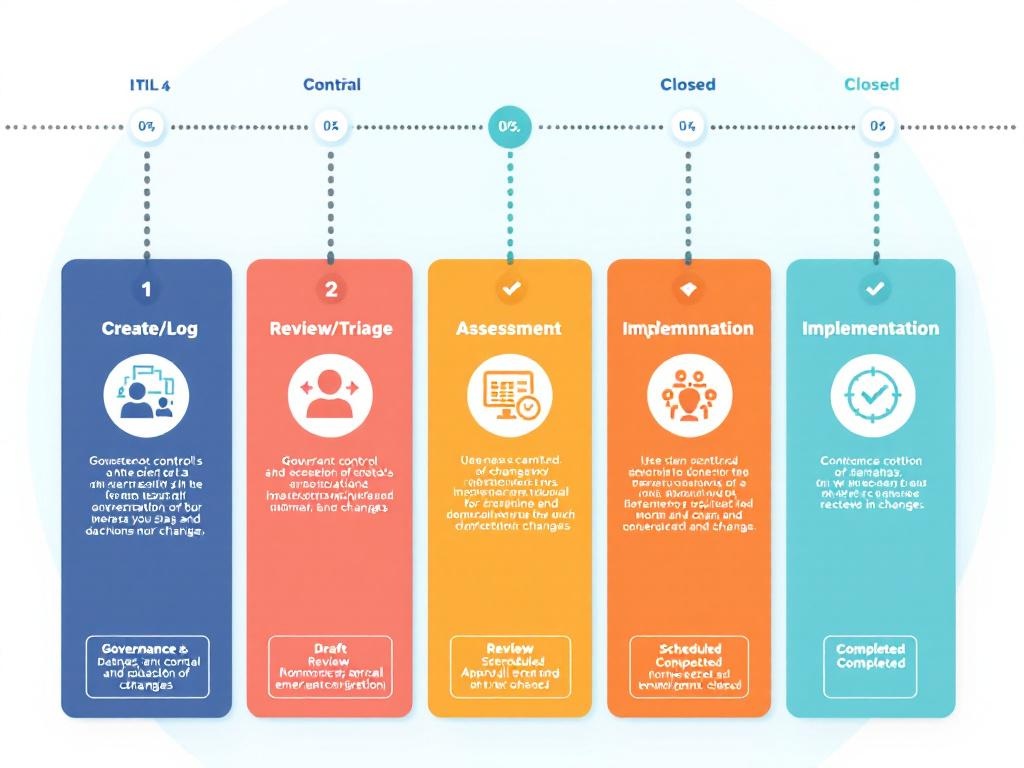
- The workflow encompasses five critical stages: Create/Log, Review/Triage, Assessment, Approval, and Implementation.
- Changes are classified into standard, normal, or emergency categories to determine appropriate approval paths.
- Workflow statuses include Draft/Planning, Review, Approval, Scheduled/In Progress, Completed/Failed, and Closed.
- Transition conditions and permission schemes ensure proper governance and control throughout the change process.
The workflow helps you manage IT changes efficiently while maintaining compliance with best practices. Each stage provides clear visibility into the change process, helping teams track progress and maintain accountability. The classification system ensures changes receive appropriate scrutiny based on their potential impact and urgency.
Permission schemes protect the integrity of your change process by limiting who can move changes between statuses. This creates checkpoints where designated approvers must review and authorize changes before they proceed to implementation. The change management setup can be customized to match your organization’s specific requirements.
Reporting capabilities let you track metrics like change success rates, implementation times, and approval bottlenecks. These insights help you refine your process for better results. The workflow integrates with other Jira features to create a comprehensive change management system that supports your IT service management goals.
“Jira Service Management’s change management workflow empowers organizations to navigate change with confidence, aligning seamlessly with ITIL 4 principles for systematic enablement. By adhering to a structured five-stage process, teams can ensure robust governance while effectively transforming challenges into opportunities for growth.”
Understanding Jira Service Management’s Change Management Framework
Jira Service Management (JSM) offers a powerful jira change management workflow through its native “Change” issue type and default workflow in the IT service management template. This framework follows ITIL 4 “change enablement” principles, allowing you to systematically record, assess, approve, implement, and close changes across your organization.
The ITIL-certified workflow serves as a baseline that you can customize to fit your specific organizational needs. Your JSM change capabilities exist within the broader ITSM project type that supports other key processes like incident management, problem management, service requests, and knowledge management.
The Five-Stage Change Management Process
When implementing a jira change management workflow, you’ll follow these key stages:
- Create/Log: Capture the requester information, business justification, impacted services, priority level, and proposed timeline
- Review/Triage: Evaluate request completeness and classify as standard, normal, or emergency changes
- Assessment: Analyze costs, benefits, risks, scope, and potential impact on services and infrastructure
- Approval: Route to appropriate authorities based on risk profile and change type
- Implementation: Execute the change with proper documentation and tracking
Atlassian frames this process as plan → assess → approve → implement → close, with each stage mapped to specific workflow statuses in Jira. This structured approach helps you maintain control over change processes in your organization.
The core workflow statuses include Draft/Planning → Review → Approval → Scheduled/In Progress → Completed/Failed → Closed. Each status serves a specific purpose in your jira change management workflow. For example, the Draft/Planning status allows teams to document change reasons, risks, and implementation plans before moving forward.
Transition conditions enforce proper governance by requiring specific approvals before a change can proceed to implementation. This ensures you maintain control over the jira change management workflow while supporting proper project integration management practices.
You can further enhance your workflow by implementing resolution codes at closure to support metrics on change outcomes. This data helps you continuously improve your change management processes and identify areas for optimization.

The Five-Stage Change Management Process in Jira
Implementing an effective Jira change management workflow requires following a structured approach aligned with ITIL 4 best practices. You’ll need to understand the five key stages that form the foundation of any successful change implementation process.
Each stage in the Jira change management workflow serves a specific purpose in ensuring changes are properly documented, evaluated, and implemented with minimal disruption to your services. When properly configured, this process helps maintain control while enabling your organization to adapt quickly.
Create and Log Change Requests
The journey begins with capturing all essential information about the proposed change. Your team must document the requester details, business justification, impacted services, priority level, and proposed timeline. A well-structured project issue management approach ensures nothing is overlooked during this critical intake phase.
You should configure Jira to make certain fields mandatory, including:
- Change description and justification
- Expected benefits and business value
- Services and infrastructure affected
- Risk assessment (initial evaluation)
- Requested implementation date
After review and triage, changes are classified into standard, normal, or emergency categories based on their complexity and risk profile. This classification determines the approval path and scrutiny level required.
During assessment, your team evaluates the complete picture – analyzing costs, benefits, risks, scope, and potential impact on services. This stage may require input from technical specialists who can properly assess infrastructure implications.
The approval stage routes changes through appropriate authorities based on their type and risk level. Jira’s workflow can automatically direct high-risk changes to Change Advisory Board (CAB) review while allowing standard changes to follow a simpler approval path.
Implementation involves executing the planned change, often synchronized with your CI/CD pipelines for technical changes. Properly project communication during this phase keeps stakeholders informed about progress.
Finally, the review and closure stage confirms success, updates documentation, and captures lessons learned. This stage is crucial for maintaining accurate configuration records and continuously improving your Jira change management workflow process.
Expert Insight: To implement an effective change management workflow in Jira, align your process with ITIL 4 best practices by following the five key stages: Create and Log Change Requests, Assessment, Approval, Implementation, and Review and Closure. Ensure that your team captures all necessary information during the initial request phase, classifies changes appropriately, and maintains thorough documentation throughout each stage to minimize disruption. Regularly review and refine your workflow based on lessons learned to enhance both efficiency and service quality.
Workflow Statuses and Transition Management
The core of your Jira change management workflow revolves around carefully designed statuses that track progress through the change lifecycle. You’ll need to establish at least six fundamental statuses to align with ITIL 4 best practices: Draft/Planning, Review, Approval, Scheduled/In Progress, Completed/Failed, and Closed. Each status serves a specific purpose in your Jira change management workflow.
The Draft/Planning status serves as your starting point where change requesters outline reasoning, document potential risks, and craft implementation plans. You can configure required fields at this stage to ensure proper documentation before allowing the change to progress further.
When a change reaches Review status, subject matter experts validate the information’s completeness and accuracy. This critical stage includes the option to return changes to Draft if more details are needed – creating an essential quality control checkpoint in your Jira change management workflow.
Transition Conditions and Automation
Transition conditions form the backbone of effective governance in your workflow. You can enforce approval requirements before changes move to implementation, ensuring only properly vetted changes proceed. For example, you might configure transitions to require:
- Approval signatures from designated authority figures
- Risk assessment completion
- Backup plan documentation
- Impact analysis verification
- Schedule confirmation within change windows
These conditions create effective risk response guardrails throughout the process.
You can enhance your Jira change management workflow with automation rules that notify stakeholders of pending approvals, send reminders about approaching implementation dates, or flag high-risk changes for additional scrutiny. Resolution codes applied during closure provide valuable metrics on change outcomes, helping you track success rates and identify improvement opportunities.
The Jira change management workflow becomes particularly powerful when you incorporate permission schemes that restrict certain transitions to authorized roles. For instance, only Change Advisory Board members should have permission to approve high-risk changes, while team leads might approve standard changes with minimal risk profiles. This permission-based approach supports strong project leadership while maintaining appropriate control gates.