A Simple Project Plan Template in Word
A simple project plan template in Word provides a structured framework for comprehensive project management, offering you an accessible and adaptable tool for tracking objectives, tasks, and progress. By using this versatile document format, project managers can create a centralized resource that aligns team members, clarifies responsibilities, and maintains clear communication throughout the project lifecycle.
Key Takeaways:
- A well-designed project plan template includes essential components like project scope, task breakdown, resource allocation, and timeline tracking.
- Word-based templates offer flexibility across various industries, from small business launches to event planning and product development.
- Customization is crucial to transforming a generic template into an effective project management tool.
- Regular updates and version control help maintain the template’s relevance and accuracy.
- While useful for smaller projects, Word templates have limitations for highly complex initiatives with numerous dependencies.
Creating an effective project plan requires attention to detail and strategic thinking. Microsoft Word templates serve as valuable starting points for organizations of all sizes. These templates can be downloaded from Microsoft directly or customized from existing formats.
The flexibility of Word documents allows for quick modifications without specialized software knowledge. You can adjust sections, add company branding, and incorporate specific terminology relevant to your industry.
Establishing Clear Milestones
Project plans work best when they contain clear milestones and deadlines. Each task should include responsible team members and completion criteria. This approach prevents confusion and establishes accountability throughout the project execution phase.
Visual Progress Tracking
For collaborative projects, consider adding status indicators or color-coding to provide visual progress tracking. This simple enhancement helps team members instantly recognize which tasks need attention during project status meetings.
Risk Management
The template should also include risk management sections where potential obstacles can be documented alongside mitigation strategies. This proactive planning reduces surprises and prepares the team for contingencies.
Digital Accessibility
Digital accessibility remains a key advantage of Word-based templates. Team members can access and update information regardless of their technical expertise. This universal accessibility promotes broader participation in project tracking and reporting.
Integration with Other Microsoft Tools
Consider integrating your template with other Microsoft tools for enhanced functionality. Linking to Excel spreadsheets or Microsoft Planner can extend capabilities beyond what Word offers alone.
Finding the Right Balance
The most successful project plans balance detail with clarity. Too much information clutters the document, while too little leaves gaps in understanding. Find the right balance for your specific project needs.
“A well-crafted project plan template acts as a dynamic roadmap, guiding teams through the complexities of project management while fostering collaboration and clarity. By embracing the versatility of a Word-based format, project managers can tailor their approach to fit unique objectives, ensuring a cohesive and successful project journey.”
Core Components of Project Plan Templates
Every effective simple project plan template Word document contains essential elements that form the backbone of your project management strategy. A well-structured template helps you maintain organization and keeps team members aligned with project goals.
The foundation of any simple project plan template Word document begins with basic project details. These include the project name, manager information, creation date, and an executive summary that offers a brief overview of the project’s purpose. This information provides immediate context for anyone reviewing the document.
Project scope and definition sections form crucial parts of your template. These areas clearly outline:
- Project purpose and objectives
- Project boundaries and limitations
- Key deliverables that must be produced
- Major milestones that mark progress points
A comprehensive task breakdown, often structured as a Work Breakdown Structure (WBS), is vital in any simple project plan template Word document. This breakdown divides the project into manageable segments, making it easier to assign responsibilities and track progress on specific tasks.
Essential Template Elements
Your simple project plan template Word should include these critical components for successful project execution:
- Budget allocation sections for tracking financial resources
- Resource assignment tables showing who handles which tasks
- Risk assessment frameworks for identifying potential issues
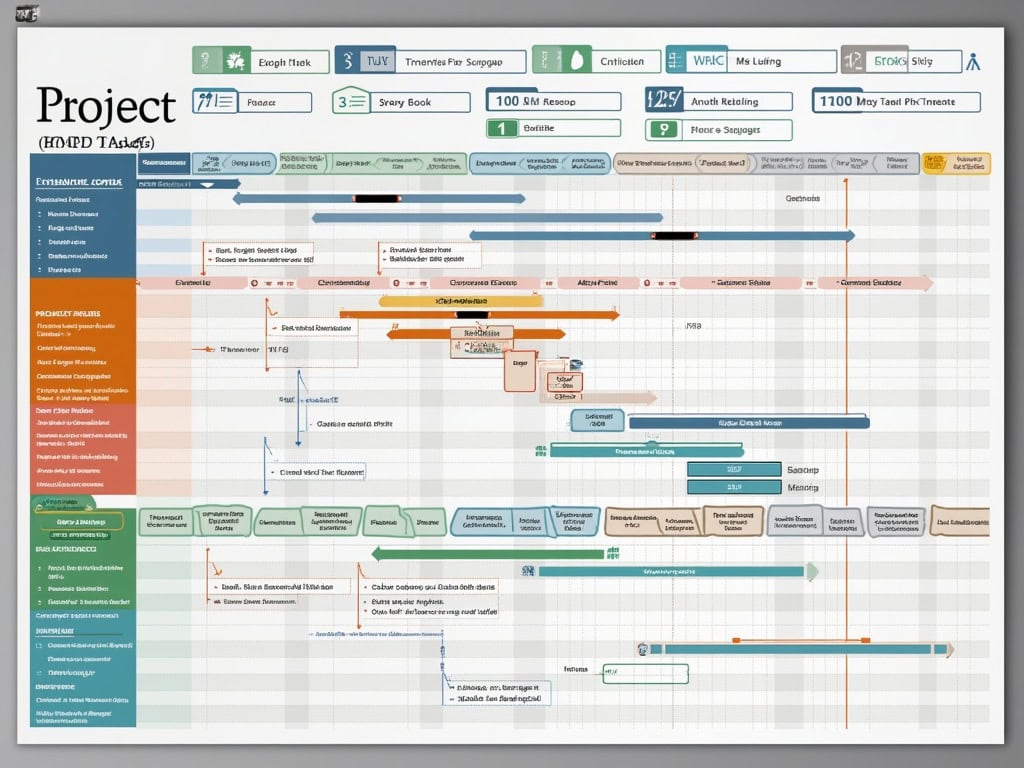
- Timeline charts showing task dependencies and durations
- Communication plans for stakeholder management
These elements work together to create a clear project framework that prevents scope creep and ensures everyone understands their responsibilities. Project templates with these components help maintain focus on deliverables while providing structure for monitoring progress.
Resource allocation tables are particularly important in your simple project plan template Word document, as they clarify who’s responsible for each task. This transparency helps improve team communication and prevents confusion about roles.
A well-designed timeline section with start and end dates for each task enables better scheduling and helps identify potential bottlenecks before they cause delays. The simple project plan template Word format allows easy visualization of this information through tables or basic charts.
Stakeholder management sections help you track key contacts, their influence on the project, and communication preferences. This information proves invaluable when navigating project challenges that require stakeholder support or input.
By incorporating these core components into your simple project plan template Word document, you create a comprehensive yet accessible tool that guides your team through complex projects while maintaining clarity and focus on objectives.
Projects with a well-defined plan are 2.5 times more likely to succeed than those without proper planning.
forbes.com
Practical Benefits and Use Cases
A simple project plan template in Word offers multiple advantages for project managers and teams. You’ll find it streamlines your planning process while creating a central document for effective collaboration. These user-friendly templates help you track progress systematically and maintain clear communication with all stakeholders.
Project plan templates in Word serve various practical purposes across different industries. You can use them for small business projects, educational initiatives, event planning, or even personal goals. The simplicity of a simple project plan template Word format makes it accessible to users with varying levels of project management experience.
Real-World Applications
The versatility of Word-based project plans makes them suitable for numerous scenarios:
- Small business launches: Track marketing activities, product development, and budget allocation
- Event planning: Organize venues, catering, speakers, and promotional activities
- Course development: Structure curriculum creation, resource development, and assessment planning
- Home renovation: Manage contractors, materials purchasing, and timeline coordination
- Product launches: Schedule development phases, testing cycles, and marketing campaigns
These templates significantly enhance project collaboration by creating a shared reference point. Your team members can quickly understand their responsibilities and deadlines using the simple project plan template Word format. This clarity reduces confusion and improves accountability across the project lifecycle.
Another key benefit is improved stakeholder communication. The structured format helps you present project information clearly to executives, clients, or sponsors. You’ll find it easier to demonstrate project status, milestone achievements, and potential issues using a consistent template.
| Department | Key Benefits of Simple Project Plan Template Word |
|---|---|
| Marketing | Coordinates campaign timelines and tracks deliverables |
| IT | Manages system updates and technical implementations |
| HR | Structures recruitment drives and training programs |
| Finance | Plans budget cycles and financial reporting activities |
| Operations | Coordinates process improvements and operational changes |
Using these templates also helps you avoid common project management mistakes by establishing clear expectations from the start. The structured format encourages thorough planning and consideration of all project elements before execution begins.
For ongoing projects, simple project plan template Word documents serve as valuable historical records. You’ll build an archive of past project structures, timelines, and resource allocations that inform future planning efforts and help estimate requirements more accurately.

Template Selection and Customization
Choosing the right simple project plan template Word document forms the foundation of your project management strategy. The template you select should align with your project’s scope, complexity, and stakeholder requirements. You’ll need to consider how detailed your project tracking needs to be and what information is most critical to capture.
When selecting a simple project plan template Word document, consider these essential factors:
- Project size and complexity level
- Number of team members involved
- Required reporting frequency
- Specific industry requirements
- Level of detail needed for tasks and milestones
- Integration needs with other project documents
Your template choice matters significantly as it will serve as the primary project communication tool throughout the project lifecycle. Too simple, and you’ll miss crucial details; too complex, and team members will resist using it.
Customization Best Practices
After selecting your simple project plan template Word file, you’ll need to tailor it to your specific project needs. Effective customization transforms a generic template into a powerful project management tool.
Here’s a comparison of basic versus custom simple project plan templates:
| Basic Template Features | Customized Template Advantages |
|---|---|
| Standard task listings | Project-specific task categories |
| Generic timeline format | Custom milestone tracking |
| Basic resource columns | Detailed resource allocation tracking |
| Standard status fields | Custom status indicators and RAG ratings |
| Generic section headers | Project-specific terminology |
| Basic formatting | Company branding and visual enhancements |
Customization isn’t just about appearance—it directly impacts how effectively you can execute your projects. Modify your simple project plan template Word document to include fields for risk tracking, dependency mapping, and budget allocation based on your project’s unique requirements.
Remember to update your template regularly as the project progresses. A simple project plan template Word document should evolve alongside your project, reflecting completed milestones, adjusted timelines, and changing priorities. This dynamic approach ensures your template remains relevant and valuable throughout the project lifecycle.
While customizing, keep stakeholder needs in mind. Different audiences may require different views of the same project plan. You can create variations of your simple project plan template Word document for executive summaries, detailed team instructions, or stakeholder satisfaction reports.
Effective template customization can improve project outcomes by as much as 20% by ensuring the template meets specific project needs and stakeholder requirements.
hbr.org
Popular Microsoft Word Project Plan Templates
Microsoft Word offers several ready-to-use simple project plan template word options that can transform your project management approach. These templates provide structure without overwhelming complexity, making them ideal for both beginners and experienced project managers.
The Microsoft Event Planner template stands out as a versatile option for organizing events of all sizes. This simple project plan template word includes sections for task scheduling, vendor contacts, and budget tracking in an easy-to-follow format. You’ll find it particularly useful for conferences, product launches, or team-building activities where coordination is essential.
Business-Focused Templates for Various Needs
Business Scope Report templates offer comprehensive frameworks for defining project boundaries. These simple project plan template word documents help you clearly articulate project objectives, deliverables, and limitations to prevent scope creep during implementation. Each template includes dedicated sections for:
- Project overview and executive summary
- Detailed scope statements and deliverables
- Key milestones and deadlines
- Team member assignments and responsibilities
- Budget allocation and resource requirements
- Risk assessment and mitigation strategies
Project Status Report designs provide excellent tracking mechanisms throughout your project lifecycle. These simple project plan template word formats enable regular updates on progress, highlighting achievements, obstacles, and upcoming priorities. They’re invaluable for maintaining project communication with stakeholders and team members alike.
Smartsheet’s project plan variations offer additional flexibility with their pre-designed simple project plan template word formats. These templates include Gantt chart visuals, task dependencies, and resource allocation sections that integrate seamlessly with Microsoft Word.
When selecting a simple project plan template word, consider your project’s complexity and team’s familiarity with project management concepts. For small initiatives, choose streamlined templates with basic sections. For more complex projects, opt for comprehensive templates that include risk management and stakeholder analysis components.
Remember that these simple project plan template word documents require manual updates, which can be time-consuming for rapidly evolving projects. While they lack the automation of dedicated software, they provide excellent foundations for organizing project information in familiar, shareable formats that work well for most business scenarios.

Limitations and Strategic Considerations
While simple project plan templates in Word offer accessibility and ease of use, they come with certain limitations you should consider before fully committing to them for your project management needs.
Word-based simple project plan templates require manual updating, which can become time-consuming as your project grows in complexity. You’ll need to regularly revise task status, update timelines, and adjust dependencies without the benefit of automation. This manual maintenance increases the risk of errors creeping into your documentation.
“When managing complex projects with numerous dependencies, Word templates may not provide sufficient functionality,” explains project management software specialists. The static nature of Word documents limits real-time collaboration capabilities that modern teams often require.
Another key limitation is the lack of built-in calculation features. Unlike specialized tools, a simple project plan template Word document won’t automatically recalculate project timelines when changes occur or alert you to scheduling conflicts.
Strategic Implementation Considerations
To maximize the effectiveness of Word templates despite these limitations, consider these strategic approaches:
- Implement a regular update schedule to ensure information remains current
- Create clear version control protocols to prevent confusion with multiple document versions
- Establish clear communication channels for team members to report progress updates
- Develop standardized formatting for consistency across different project documents
- Integrate supplementary tracking tools for complex aspects the template can’t handle
For projects exceeding certain thresholds of complexity, you might need to supplement Word templates with dedicated tools for effective project management. These specialized solutions offer automated scheduling, resource allocation, and integrated task tracking that Word simply cannot match.
The table below summarizes when to use Word templates versus specialized project management tools:
| Project Characteristic | Word Template Suitability | Specialized Software Recommendation |
|---|---|---|
| Small team size (1-5) | High | Low |
| Limited budget | High | Low |
| Complex dependencies | Low | High |
| Multiple stakeholders | Medium | High |
| Frequent updates needed | Low | High |
By understanding these limitations, you can make strategic decisions about when a simple project plan template Word document is sufficient and when to invest in more robust solutions to improve project performance.