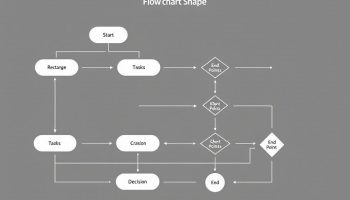

Process Mapping in Miro
Process mapping in Miro has transformed visual collaboration, evolving from a basic digital whiteboard into a powerful platform serving over 100 million users across 250,000+ companies globally. With AI-powered tools and comprehensive diagramming capabilities, Miro provides an essential solution for teams looking to optimize process mapping and collaborative workflows.
Key Takeaways:
- Miro offers AI-generated diagrams that reduce creation time by 80%
- The platform supports multiple diagram types, including flowcharts, UML, and mind maps
- Advanced collaboration features enable real-time and asynchronous team interactions
- Enterprise-grade security and integration options support distributed team workflows
- Smart templates and contextual AI tools enhance process mapping efficiency
Miro stands out in the visual collaboration market with its intuitive interface and powerful features. You’ll find the platform particularly useful for creating detailed process maps that clarify complex workflows. These visual representations help teams identify bottlenecks, streamline operations, and improve communication.
The AI-powered diagramming tools automatically generate professional-looking charts based on your input data. This automation saves significant time compared to manual creation methods. Teams can focus more on analysis and improvement rather than spending hours on diagram formatting.
Miro’s collaborative environment allows distributed teams to work together efficiently. You can add comments, use video chat, or present your process maps directly within the platform. This creates a central hub for both synchronous meetings and asynchronous collaboration.
Security remains a priority with enterprise-grade protections for your sensitive process documentation. The platform also integrates smoothly with popular productivity tools like Jira, Asana, and Microsoft Teams, creating a connected ecosystem for your project management needs.
Smart templates provide pre-built frameworks for common process mapping methodologies. These templates incorporate best practices from process excellence experts, giving you a head start on creating effective visualizations. The contextual AI assistant helps refine your diagrams by suggesting improvements based on established process mapping principles.
“Miro’s evolution from a simple digital whiteboard to a robust platform for over 100 million users exemplifies the power of visual collaboration, offering AI-generated diagrams that cut creation time by 80%. With its advanced tools and enterprise-grade security, Miro empowers teams worldwide to streamline process mapping and enhance collaborative workflows like never before.”
Miro’s Evolution: From Digital Whiteboard to Process Optimization Powerhouse
Miro has transformed from a simple digital whiteboard to become the leading process mapping Miro platform for visual collaboration, now serving over 100 million users across 250,000+ companies worldwide. This remarkable growth reflects an impressive 18% year-over-year expansion of its user base between 2023-2026. You’ll find Miro’s development particularly evident through key milestones including their 2019 rebrand (reaching 3M+ users), their substantial 2021 Series C funding ($400M with 20M users), the 2022 Miroverse launch, and the game-changing 2023 Miro AI introduction.
The platform earned recognition on the 2025 Forbes Cloud 100 list, cementing its status as an industry leader. This rapid adoption demonstrates the increasing demand for tools that support remote and hybrid work environments. Process mapping Miro capabilities have become essential for project collaboration among distributed teams.
AI-Powered Diagram Generation: Transforming Efficiency
Miro’s AI features have revolutionized process mapping Miro workflows by generating editable diagrams from natural language prompts. You can create flowcharts, UML diagrams, ER diagrams, mind maps, organizational charts, and network diagrams without starting from scratch. The “Create with AI” feature leverages your existing board content as context for generating accurate diagrams, while the “Digitize Diagram” beta feature converts hand-drawn sketches into professional, editable visualizations.
These process mapping Miro AI capabilities deliver remarkable efficiency, reducing diagram creation time by 80% compared to manual methods. Launched in July 2025 as part of the Intelligent Canvas initiative, these AI-generated diagrams remain fully editable with automated layout optimization. When process mapping in project management, you’ll appreciate how Miro’s comprehensive toolset supports:
- Industry-standard shape libraries for flowcharts, BPMN, and value stream mapping
- Dedicated diagramming mode that reduces visual clutter
- Smart Canvas providing infinite workspace for process mapping Miro sessions
- Visual tables with progress tracking and real-time search
- Presentation mode with mobile slide control
- Technical and business diagram creation with consistent formatting
The platform’s Model Context Protocol (MCP) enables advanced AI integration within your process mapping Miro diagrams, making it a powerful tool for process optimization methods and strategic planning. This evolution represents how visual collaboration tools continue advancing to meet the complex needs of today’s distributed workforce.

AI-Powered Diagram Generation: 80% Time Savings
Miro’s “Create with AI” feature has transformed process mapping, allowing you to generate editable diagrams from simple natural language prompts. This powerful tool creates diverse visualization types including process maps, flowcharts, UML diagrams, ER diagrams, mind maps, organizational charts, and network diagrams with minimal effort. The system intelligently uses existing board content such as sticky notes and sketches as contextual information when developing process mapping in Miro.
The “Digitize Diagram” beta feature takes collaboration a step further by converting hand-drawn sketches into professional, editable diagrams. This functionality preserves your creative thinking while elevating the presentation quality of your process mapping work in Miro. You’ll find these AI capabilities cut diagram creation time by an impressive 80% compared to traditional manual methods.
Intelligent Canvas Initiative
Launched in July 2025, these AI-powered tools form the cornerstone of Miro’s Intelligent Canvas initiative. The most significant advantage is that AI-generated diagrams remain fully editable after creation, with automated layout optimization ensuring professional results regardless of your design experience. This accessibility has democratized process mapping in Miro across organizations, allowing non-technical team members to create sophisticated visualizations quickly.
The time savings delivered by AI-powered process mapping in Miro translates to tangible business benefits. Teams can now focus more on analyzing and improving processes rather than spending hours manually creating diagrams. This shift enables faster project integration and more efficient collaborative workflows.
When implementing these features, you should:
- Start with a clear process description for optimal AI generation
- Use existing board content as context for more accurate results
- Leverage the editing tools to refine AI-generated diagrams
- Incorporate feedback loops using comment features
- Save successful diagrams as templates for future reuse
The efficiency gains prove particularly valuable during strategic planning sessions where rapid visualization of complex processes can accelerate decision-making. Teams using process mapping in Miro report not only time savings but also improved clarity and alignment on critical workflows.

Comprehensive Diagramming Tools for Process Excellence
Miro’s extensive diagramming capabilities elevate your process mapping experience beyond basic visualization. You’ll find industry-standard shape libraries that support detailed process mapping techniques, including Flowcharts, BPMN, Value Stream Mapping, and Swimlanes – essential components for documenting complex workflows.
When working on intricate process maps, Miro’s Dedicated Diagramming Mode reduces visual clutter through intelligent layer management and advanced styling controls. This feature helps you maintain clarity even when dealing with complex process mapping diagrams that span multiple departments or systems.
The Smart Canvas provides an infinite workspace where you can combine your process mapping elements with sticky notes, embedded media, and supplemental documentation. This flexibility enables effective project collaboration across distributed teams.
Enhanced Visualization Features
Visual Tables complement your process mapping workflows by displaying structured data with progress bars and real-time search capabilities. This integration of data visualization with process flows creates a more comprehensive view of operational performance.
The platform’s Presentation Mode transforms your process mapping diagrams into professional presentations with mobile slide control and seamless PowerPoint import/export functionality. This feature streamlines sharing process insights with stakeholders who may not be Miro users.
Miro’s robust support for both technical and business diagrams ensures your process mapping projects maintain consistent formatting regardless of complexity. The advanced MCP (Model Context Protocol) enables sophisticated AI integration within diagrams, allowing your process mapping work to become more intelligent over time.
Teams using Miro for process mapping report significant improvements in documentation quality and stakeholder understanding. The platform’s visual approach helps identify project roadblocks earlier and facilitates more productive discussions around process optimization.
Your process mapping diagrams benefit from contextual awareness features that automatically suggest connections between related elements, reducing manual effort and potential oversights. This intelligent assistance ensures your process documentation remains comprehensive and accurate.

Enterprise-Grade Collaboration Features
You’ll discover powerful collaboration capabilities in Miro that transform process mapping from a solo activity into a dynamic team effort. The platform’s enterprise-grade features create an environment where process mapping miro activities flourish through both real-time and asynchronous collaboration.
Process mapping miro workflows benefit from integrated commenting that allows participants to provide feedback directly on specific diagram elements. This contextual feedback system ensures clear communication without confusion about which process step is being referenced. The robust version history feature lets you track changes, compare iterations, and revert to previous versions if needed – essential when process mapping miro projects evolve through multiple stakeholder inputs.
Security remains paramount with enterprise-level controls including SSO integration, role-based permissions, and comprehensive disaster recovery protocols. These protections ensure your process mapping miro work remains accessible only to authorized team members.
Enhanced Team Coordination Tools
The platform excels at bridging distributed teams with features specifically designed for remote process mapping miro sessions:
- Video conferencing integration with major providers (Zoom, Teams, Webex)
- Digital timer tools for timeboxing mapping activities
- Voting mechanisms to prioritize process improvements
- Presence indicators showing who’s currently viewing specific sections
These coordination tools facilitate effective project collaboration even across time zones. For large-scale process mapping miro initiatives, the platform’s enterprise dashboard provides visibility into usage metrics, collaboration patterns, and adoption rates across your organization.
Process mapping miro activities particularly benefit from the platform’s smart templates, which offer industry-standard process visualization frameworks that can be customized to your specific needs. These templates accelerate the mapping process while ensuring adherence to recognized methodologies, helping you create process maps that deliver valuable insights for operational improvement.